


Centralise scheduling, absence planning and day-to-day operations.
☆
★
☆
★
☆
★
☆
★
☆
★
99% customer satisfaction
Remote working software: make managing remote working simpler than ever
Supervise remote working in your organisation: easily organise your employees’ remote working times and ensure your compliance with legal and contractual requirements.
Over 20 000 customers already use Kelio


39 years of software expertise
A modular HR solution
100% compliant with labour regulations
Manage your business and remote working with the ultimate peace of mind
Our remote working tool finally takes the headache out of managing remote working. Handle requests and get a snapshot of office-based and remote employees on a single streamlined schedule! Track actual working hours and keep tabs on the remote working hours each employee is allowed.

Streamlined, strategic scheduling

Regulatory compliance guarantee
Automate activities and time & attendance management, and get pre-emptive alerts that flag HR discrepancies.

Real-time workforce management
View in-person and remote attendance breakdowns on a single platform.

Advanced remote working reporting
Leverage data to gain in-depth insights and continuously optimise how your teams work.
Kelio features designed specifically with remote working in mind

Track remote working in depth
See and log remote working time in hours, days and half-days, by employee and department.
Automatically calculate on-site and remote working bonuses.

Easier checks and compliance
Ensure compliance (quotas, days allowed, notice periods) with automatic notifications and export hour/day reports as well as in-person/remote working breakdowns.
Schedule compulsory appraisals for remote workers.

Digitised remote working requests
Automate remote working request and approval processes. Employees and managers are empowered to manage requests for themselves, all in line with agreements/contracts.
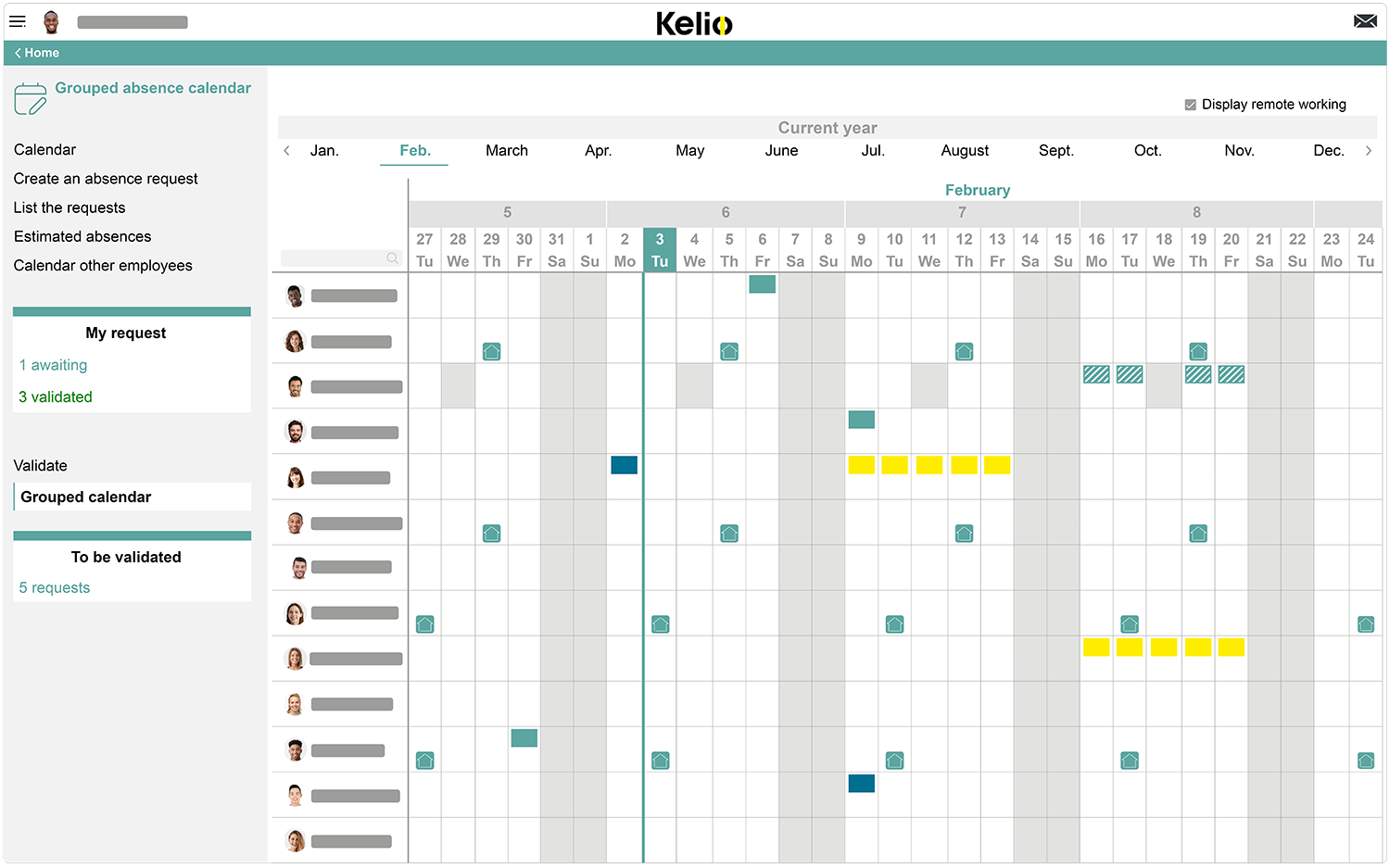
Up-to-date collaborative schedules
Get a clear overview of your schedule in real time, check who’s in the office and who’s remote, and sync your usual calendars (Outlook©, Google Calendar©).
With Kelio, simplify remote working management for your employees!

+ 20 000 customers

Solution for SMEs & large groups

5-star client support

Reliably trackremote working
The software automatically counts up remote working hours and days, with no need for you to re-enter or double-check the data. Save your HR teams time.
- Remote clock-ins via PC, tablet or smartphone
- Simplified attendance declarations
- Monitor annualised working days
- Automatically calculate allowances linked to on-site attendance bonuses
- Get a consolidated breakdown by employee, department or organisation

Digital and formal remote working requests
Each remote working request follows a clear approval process you can configure however you see fit, aligned with your company agreements. Empower employees and managers to take action independently.
- Submit a request in just a few clicks from the employee workspace
- Instant notifications sent to managers for approval
- Automatic compliance with quotas and allowed days
- Notice period management
- Customisable remote working reasons (regular, one-off, emergency, etc.)

Schedules that are always up to date, in real time
Instantly see who is on site, working remotely or absent. The schedules update automatically every time a request is approved.
- Visual distinction between in-person, remote working and absences
- Regular remote working cycle management
- Remote working during the day or half day
- Sync with Outlook©, Google Calendar©
- Shared schedules accessible at all levels
- Remote working synchronised with access control: remote workers are automatically left off on-site fire evacuation lists, for example.
Learn about Kelio’s absence management software

Everyday flexibility for managers
Dealing with unexpected, last-minute changes? The remote working monitoring solution adapts in real time. The clock-in process remains the same irrespective of an employee’s location or device.
- Swap a remote working day in a single click
- Mornings on site, remote working in the afternoon
- Hybrid clock-ins: attendance declaration, physical or virtual clocking terminal via PC, smartphone or tablet
- Approval processes that managers can customise
- Flexibility built around your organisation's rules
Compliance-driven solution that you cantrust
There are laws underpinning remote working, and this software ensures you meet your obligations with zero effort. Alerts, mandatory appraisals, workload monitoring: all aspects are fully integrated.
- Automatic notifications when quotas are exceeded
- Schedule special annual appraisals Art. L1222-10
- Track assigned workloads and targets
- Monitor compliance with remote working agreements
- Full traceability for any potential audits

Remote working data you can use in a single click
Analyse trends, compare periods, and drive your remote working policy with clear, exportable, customisable reports.
- Remote worked hours and days by employee or department
- Compare on-site/remote work over specific periods
- Generate customised exports for your HR dashboards
- Get a holistic, organisation-wide snapshot
- Tap into support with decision-making for adjusting your remote working policy
Efficient remote work management


Descriptif
Step 1: Set your organisation’s remote working rules
Configure your remote working framework to align with your organisation’s contracts and agreements: custom patterns/reasons (regular, one-off, emergency), days allowed, notice periods, the management approval process.Set up remote working cycles for regular employees and configure automatic calculations for on-site bonuses.
Descriptif
Step 2: Digitalise requests and track hours in real time
Simplify remote working requests: employees can trigger requests in just a few clicks via their employee workspace, and can choose day or half-day management. When managers approve these requests, the schedule automatically updates.On the day, every employee clocks in remotely using the virtual clock-in terminal, or submits an attendance declaration.
Descriptif
Step 3: Analyse your data and oversee your organisation
Export your reports to accurately track remote activity: hours and days worked remotely by employee or department, comparisons between on-site/remote for a given period. Use this data to assess remote workers’ workloads and schedule mandatory annual appraisals directly in the HRIS software.
Why choose Kelio for your remote working software?
-

Real-time snapshots
Real-time snapshots
The software gives you a clear overview of your remote working context through continuously updated shared schedules. Managers can see who’s remote at a glance (as well as when and for how long), empowering them to coordinate every team to the best of their abilities.
-

Track remote working hours in depth
Track remote working hours in depth
From physical, on-site clock-in terminals in the morning, to remote smartphone clock-ins in the afternoon: the time and attendance software adapts to any situation. Whatever the device (clocking terminal, PC, tablet or smartphone), hours are tracked and logged in a 100% coherent, centralised system. This remote working solution lets you track hours worked and activities completed by remote worker. Managers have real-time access to hour counts, plus remote worked days and half-days.
-
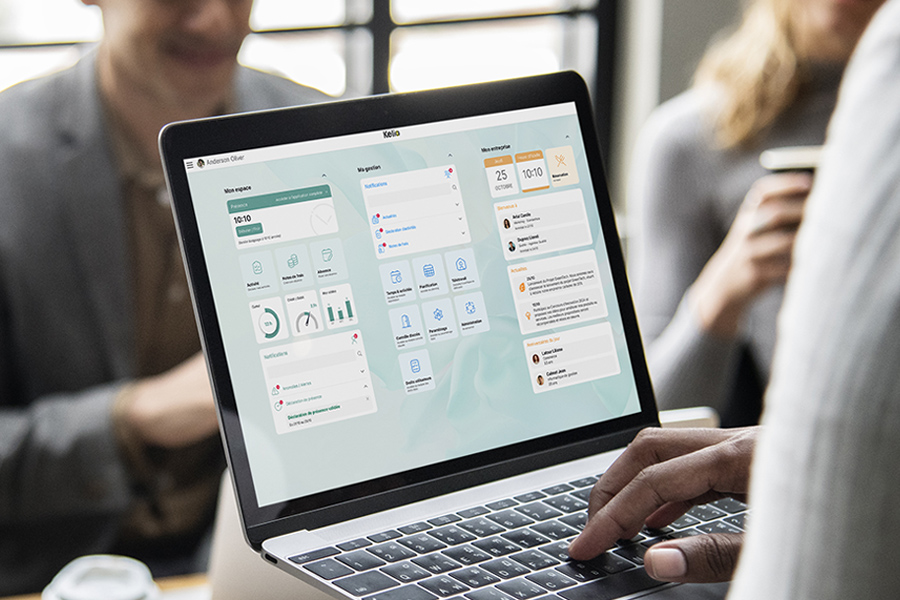
Remote working requests that are 100% digital
Remote working requests that are 100% digital
Employees submit their requests online, with managers able to approve them in just a few clicks. The approval process is fully customisable to fit your organisation's frameworks, contracts and agreements, too.
-

Compliance alerts
Compliance alerts
Kelio ensures you comply with your remote working policies and legal obligations every time. Managers receive alerts and notifications when quotas are exceeded or rules are broken, meaning you can act quickly and address any issues as soon as they arise.
They use the Kelio remote working software

Make managing remote working simpler than ever
Employees request to work remotely in the exact same way they ask for time off. We’ve put a weekly cap on the number of days they can work remotely: once a request is approved, they can clock in and out directly through Kelio, just as they would if they were on-site.


Track remote working with HRIS
During the first lockdown, all our employees worked remotely, and we realised it worked really well. We were missing a specialist tool for managing and monitoring this, and it didn’t take long for one to be developed in the HRIS software.


Boost reliability across remote working data
During Covid, emergency remote working was rolled out, and using Kelio saved us a huge amount of time while giving us an extra layer of security

The missing cog in your modular HR solution


Want to find out how remote working software could benefit you?